 In development
Asanduff HQ
One account for every business and branch you run
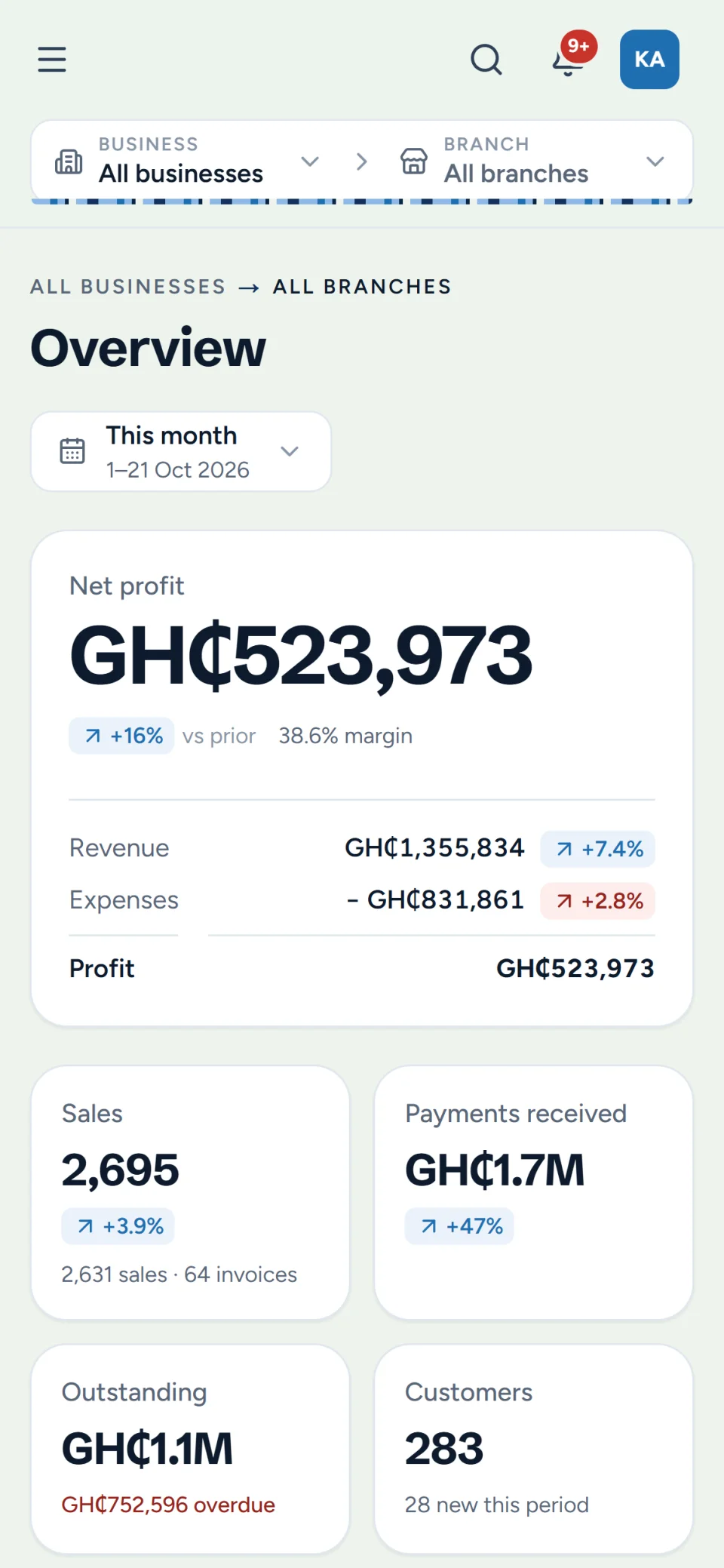
Run several businesses and their branches from one account: sales, stock, invoices, expenses and the books, with a live view of what each branch is earning.
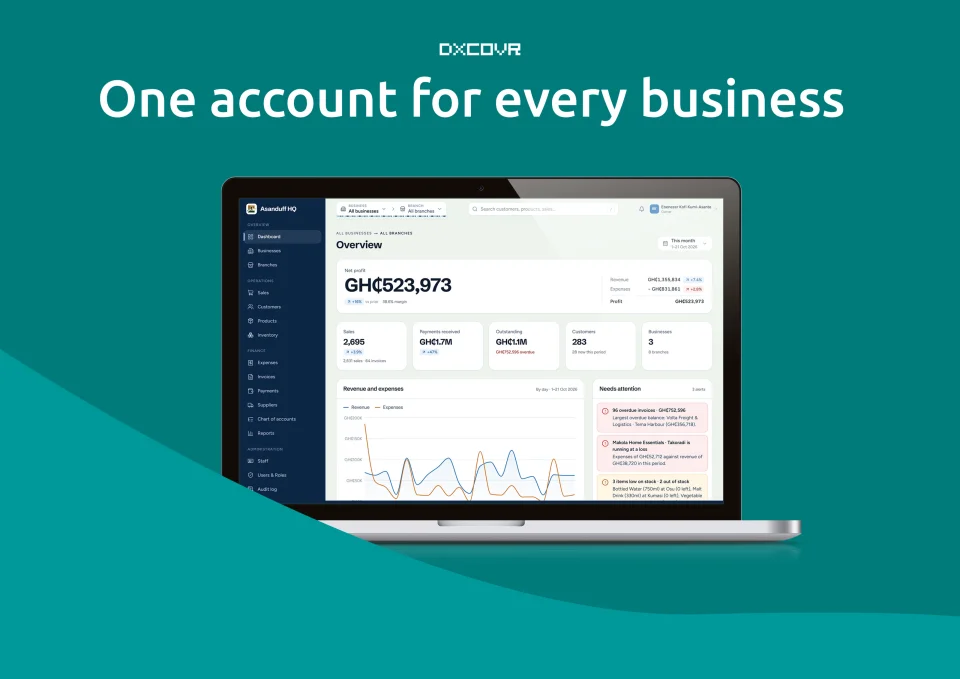
Overview
Asanduff HQ is a management system for owners who run more than one business. Each business keeps its own sales, stock, customers and books. Each branch sees only its own work. The owner sees all of it together.
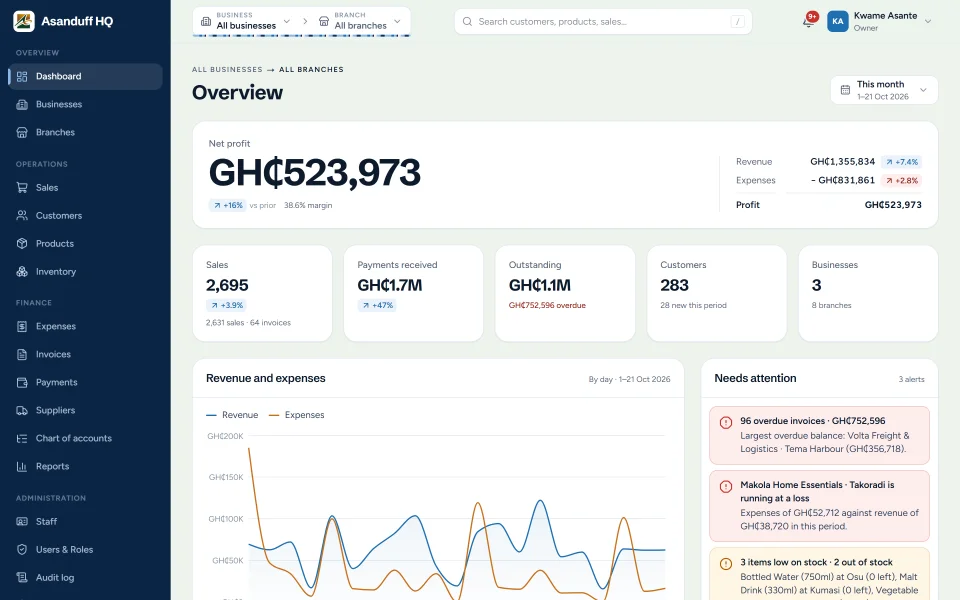
Open the dashboard in the morning and you know where you stand: what came in, what went out, what was left, which branch is ahead and which one is losing money. Overdue invoices, low stock and unusually large expenses come to you as alerts, so you don't have to go looking for them.
It was built for businesses in Ghana. Amounts are in cedis. Customers can pay in cash, by mobile money, card, bank transfer or cheque. Tax follows the way GRA charges it, with VAT, NHIL and GETFund shown separately on every receipt and added up in a tax report.
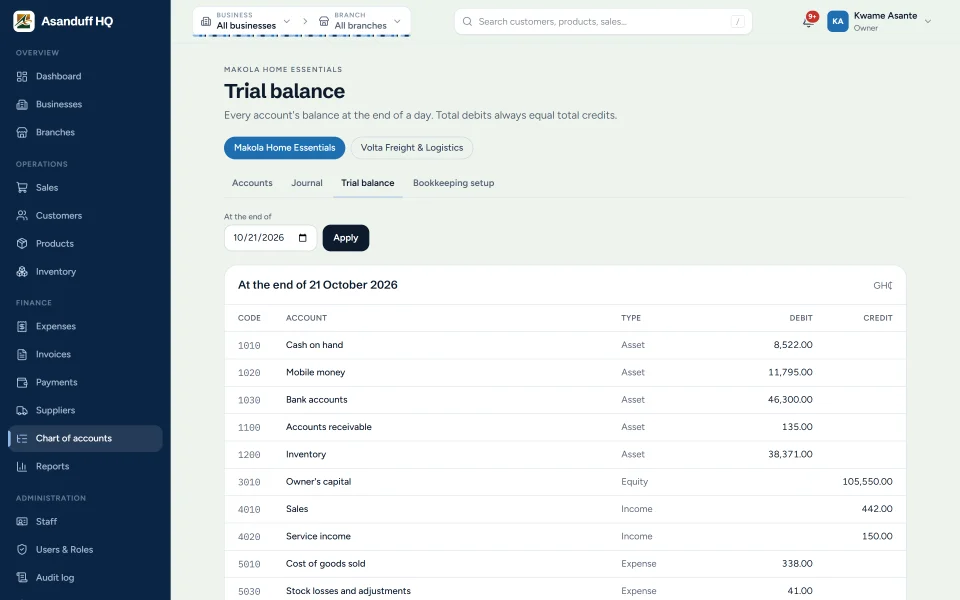
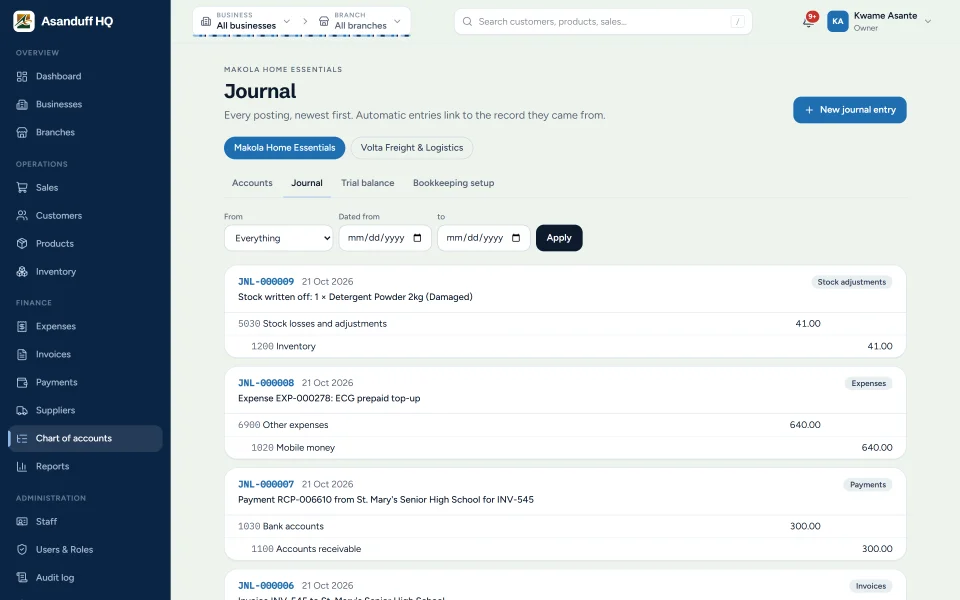
The bookkeeping happens in the background. Every sale, invoice, payment and expense is posted to your chart of accounts the moment it's recorded, so your accountant works from a trial balance that matches what happened at the counter, not a bag of receipts at the end of the month.
It runs in the browser on a laptop at head office or a phone behind the counter. There's nothing to install.
Features
What it does
-
One dashboard for everything
Revenue, expenses and profit across all your businesses, or one business, or a single branch.
-
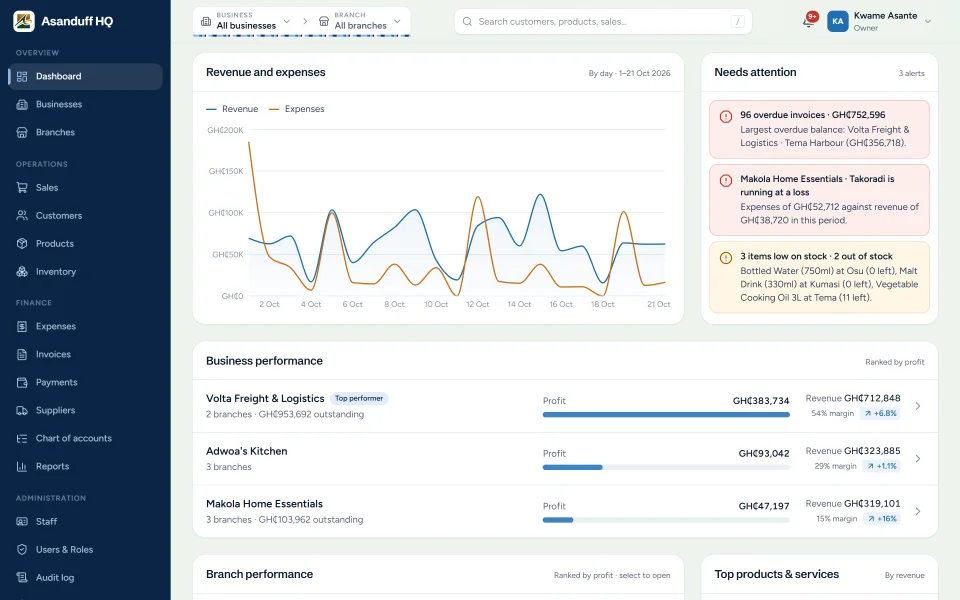
Business and branch rankings
Every business and branch ranked by profit, with the ones running at a loss flagged in red.
-
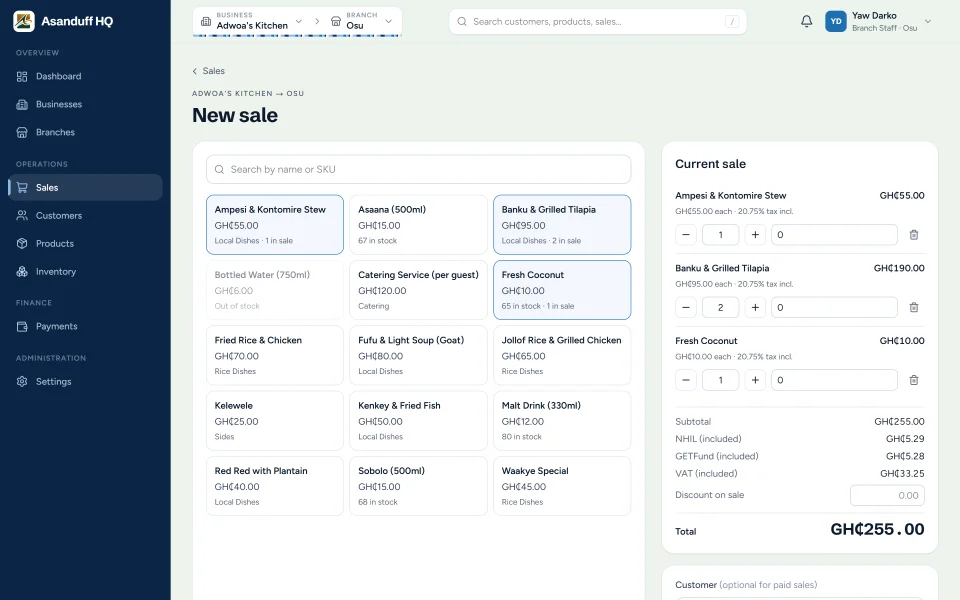
Point of sale
A quick till for each branch. Prices, tax and stock come from the system, so a cashier can't key in the wrong price.
-
Credit sales
Sell on credit to named customers and see exactly what each one owes.
-
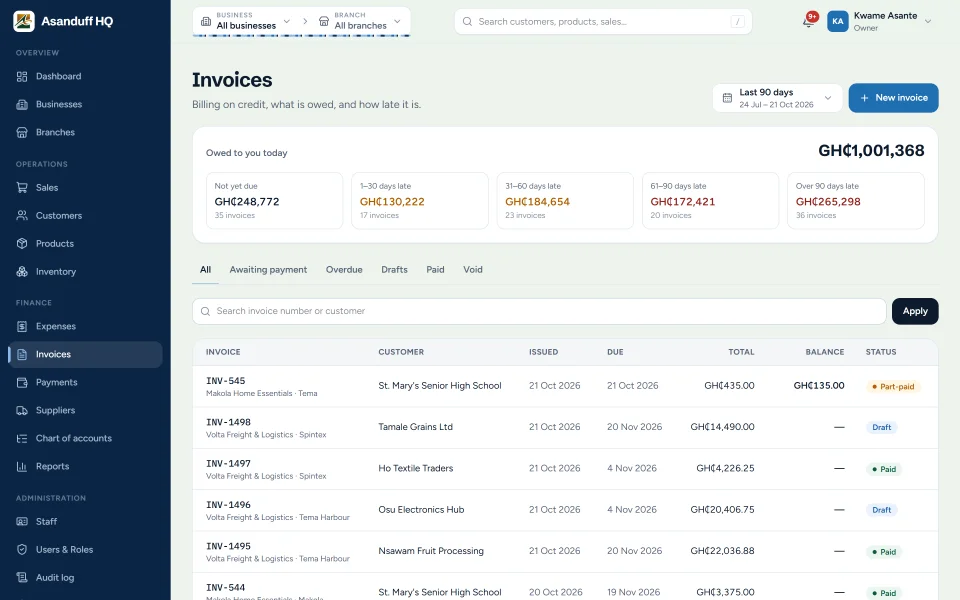
Invoices
Draft, issue and print invoices, record part-payments, and see what's owed by how late it is.
-
Every way customers pay
Cash, mobile money, card, bank transfer and cheque, with a printable receipt for each payment.
-
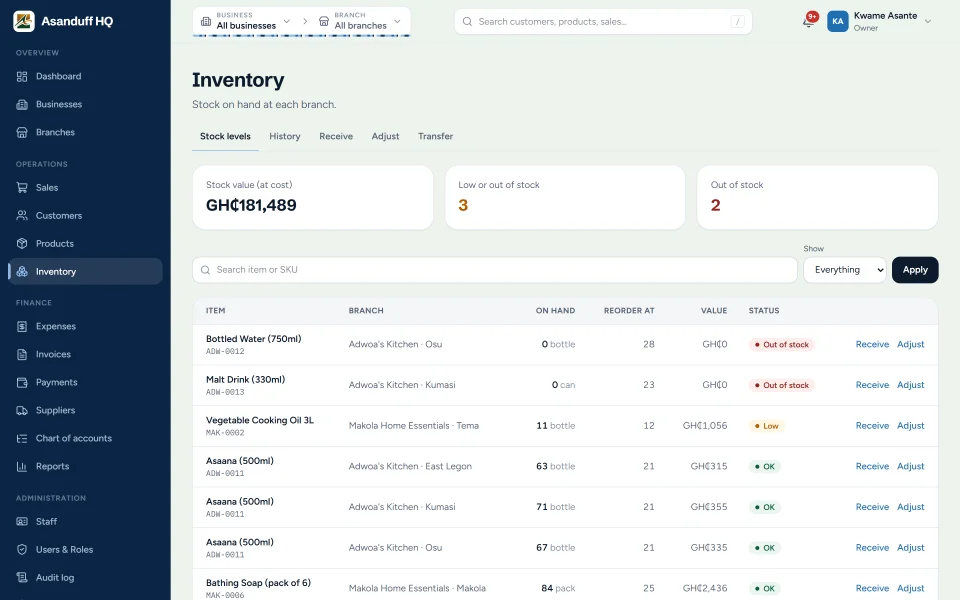
Stock at every branch
Receive, adjust and transfer stock between branches. Stock can never go below zero.
-
Low-stock alerts
Set a reorder level for each item at each branch and get told when it's reached.
-
Expenses with receipts
Record spending by category and attach a photo or PDF of the receipt.
-
Ghana tax built in
VAT, NHIL and GETFund as separate parts, prices with or without tax included, and a tax report for filing.
-
Automatic bookkeeping
Sales, invoices, payments, expenses and stock write-offs post double-entry journal entries as they happen.
-
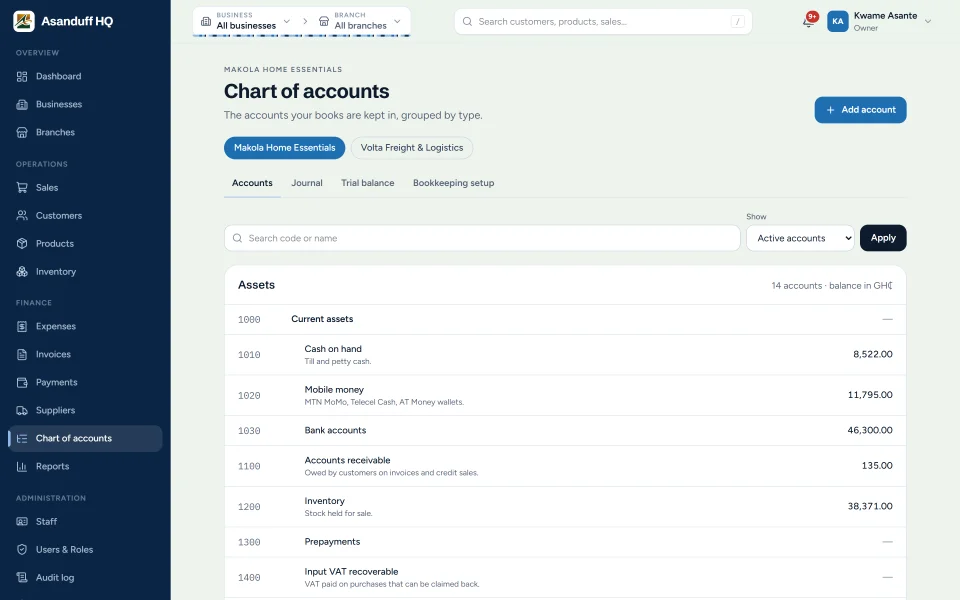
Ready-made chart of accounts
Start from 52 accounts set up for a Ghanaian small business, including mobile money, VAT, PAYE and SSNIT, then make it your own.
-
Trial balance and ledgers
The balance of every account on any day, and a running ledger for each one.
-
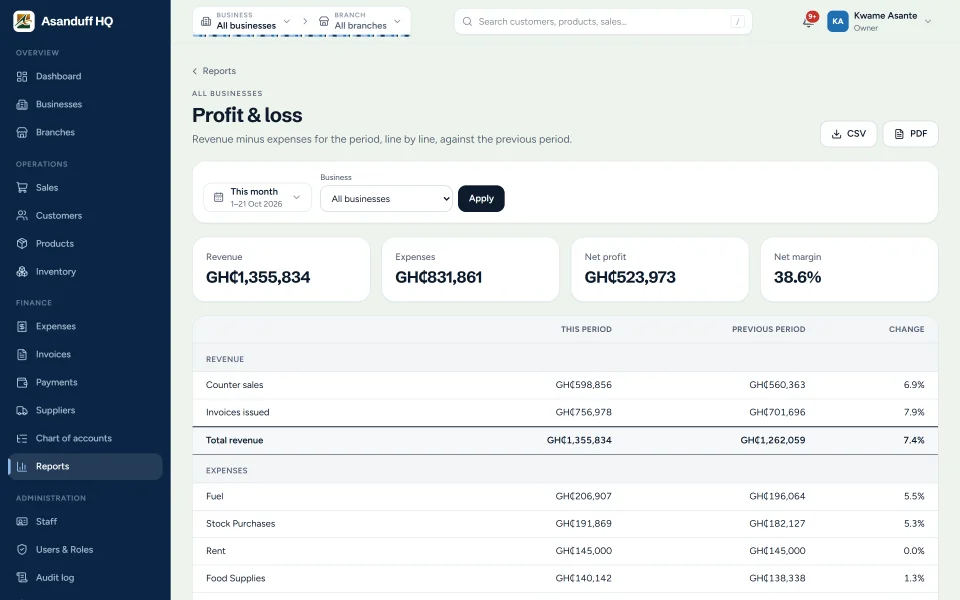
Twelve reports
Sales, revenue, profit and loss, expenses, payments, tax, invoices, products, stock, customers, and business and branch performance.
-
Excel and PDF exports
Download any report as a spreadsheet or a print-ready PDF.
-
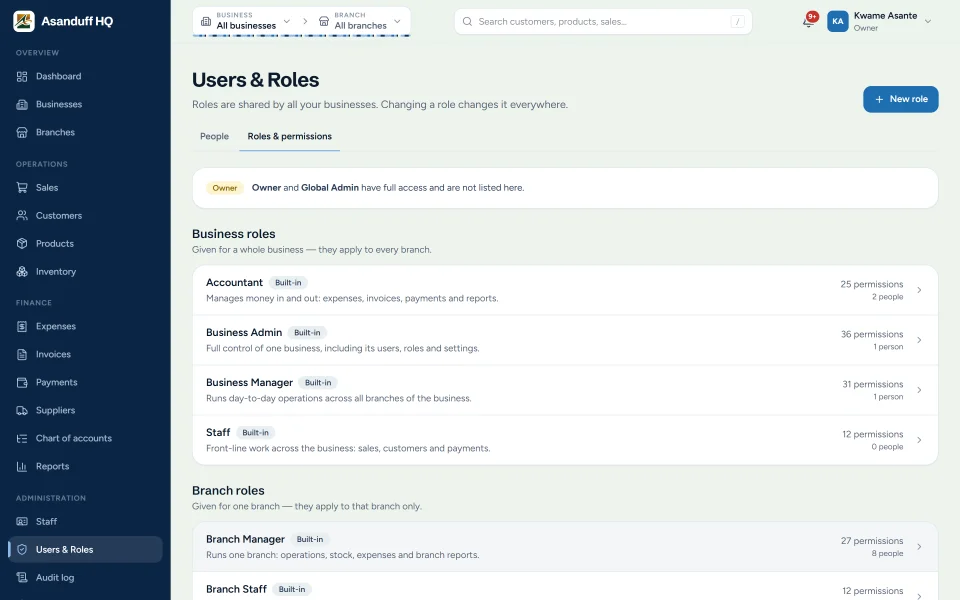
Roles and permissions
Built-in roles for admins, managers, accountants and cashiers, or create your own.
-
Everyone sees only their part
Staff see only the businesses and branches they work in. The server enforces it on every request, not just the menus.
-
Alerts that find you
Overdue invoices, branches running at a loss, low stock and unusually large expenses.
-
A permanent audit trail
Who did what, and when. Sales, payments and journal entries are voided or reversed, never deleted.
-
Two-step sign-in
Codes from an authenticator app, with recovery codes, and the option to make it compulsory for administrators.
-
Modules per business
Switch on only what each business needs. A restaurant doesn't need invoices, and a haulage firm doesn't need a till.
-
Works on phones
Every screen fits a phone, so managers can check in from anywhere.
Modules
Built in parts that work together
-
01
Dashboard
Profit, sales, what's owed and what needs attention, for the whole group or one branch.
-
02
Businesses and branches
Each business with its own branches, settings and modules.
-
03
Sales
The till, credit sales, voids and receipts.
-
04
Customers
Customer records, what they've bought and what they owe.
-
05
Products and services
Prices, costs, tax rates and categories.
-
06
Inventory
Stock levels, receiving, adjustments, transfers and reorder levels.
-
07
Expenses
Spending by category and branch, with receipts attached.
-
08
Invoices
Billing on credit, from draft to paid, with ageing of what's owed.
-
09
Payments
Every amount received, by method, with printable receipts.
-
10
Suppliers
Who you buy from and what you've paid them.
-
11
Staff
Employee records, positions and pay.
-
12
Chart of accounts and bookkeeping
Accounts, the journal, ledgers and the trial balance.
-
13
Reports
Twelve reports with Excel and PDF export.
-
14
Notifications
Alerts sent to the people responsible.
-
15
Users, roles and audit log
Who can do what, and a record of everything they did.
-
16
Settings
Organisation, tax rates, alert thresholds and sign-in security.
Screenshots
Integrations
- Excel and Google Sheets (CSV export)
- PDF export and printing
Demo
See Asanduff HQ in action
Tell us a little about your organisation and what you need. We will get back to you to arrange the next step.